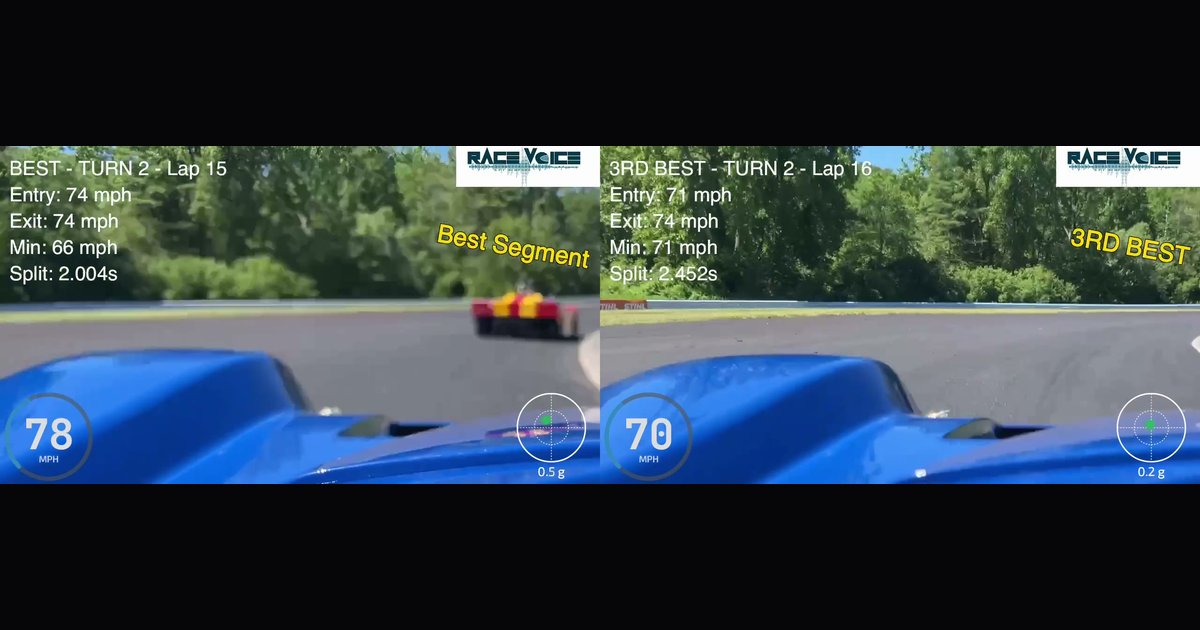
Two laps through Turn 2 at Lime Rock — recorded in an SCCA Spec Racer Ford — running side by side on the same screen. One is the best segment of the session; the other is third best. They look almost identical from the seat — but played back together, the data shows exactly where the time went, and the answer is surprising.
This is what RaceVoice's side-by-side review does: it takes two of your own laps — your best run through a corner and a slower one, same car, same driver, same track — and plays them back together as a single video, each frame locked to its place on the track, with the telemetry painted right on top. Entry, minimum, and exit speed. The segment split time. Live speed and G-force. A badge in the corner telling you where each run ranked.
The Lime Rock example
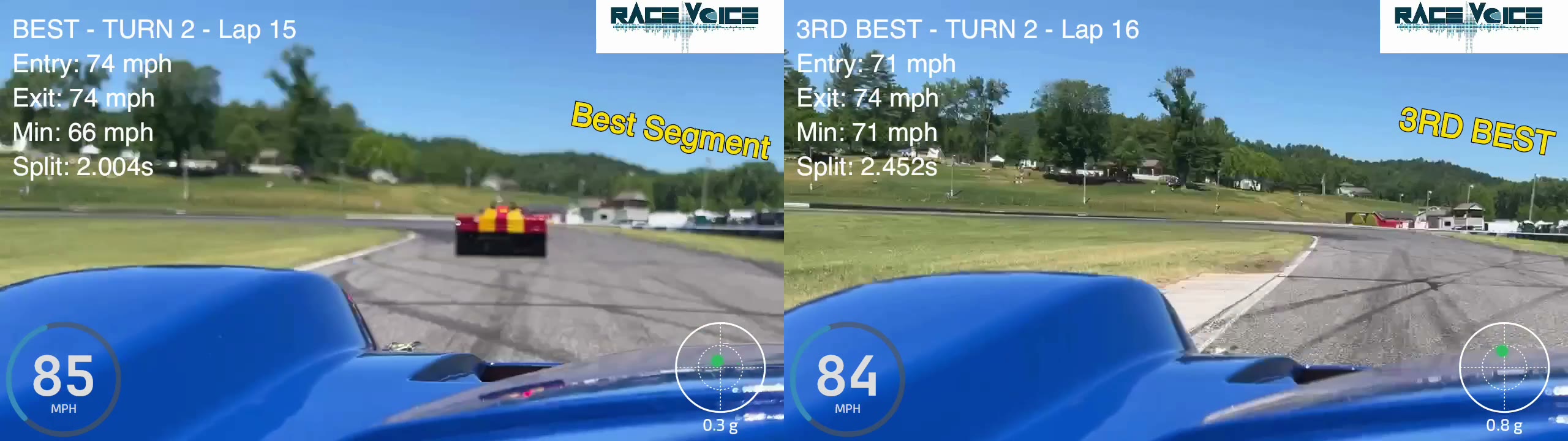
Here are the two laps from the clip — both through Turn 2, in an SCCA Spec Racer Ford:
- Lap 15 — Best Segment: Entry 74 mph, Min 66 mph, Exit 74 mph, Split 2.004s.
- Lap 16 — 3rd Best: Entry 71 mph, Min 71 mph, Exit 74 mph, Split 2.452s.
Look at that for a second, because it's not what you'd guess. The faster lap carried a lower minimum speed — 66 versus 71. Conventional wisdom says the higher minimum should win. It didn't. Lap 15 arrived with more entry speed (74 vs 71), used that speed to get the car rotated, came off the same exit number — and was nearly half a second quicker through a single corner. Across a full lap, that's the difference between a good day and a personal best.
From inside the car, those two laps would feel the same. Side by side, the story is obvious: brake a hair later, carry the entry, trust the car to rotate — a thing a driver can go practice on purpose instead of stumbling into.
It's generated right on your phone
There's no laptop and no video editor in this. You record your session with the camera running, open Video Studio, pick Side-by-Side, choose the two laps (or segments) you want to compare, and tap Generate. The app composites both camera feeds, frame-syncs them to the same point on track, burns in the telemetry overlays, and hands you one finished video — ready to scrub, save to your photos, or share. The whole thing happens on the device, at the track, between sessions.
Nothing else builds this for you
I'll be blunt about this part, because it's the whole point: no other data system actually produces this. The serious loggers — AiM, MoTeC, VBOX, Garmin — and the phone-based apps will overlay two traces on a chart or stack your split times in a table, then send you home to a laptop to study them. Not one of them hands you an automatic, frame-synced side-by-side video of two of your own laps, with the entry, minimum, exit and split burned right into the picture, generated on the phone in your pocket before you've even taken your helmet off. RaceVoice does it automatically — you pick two laps and it's made for you.
And because it's video, you read it the way you drove it. Scrub to the corner and watch the two of you arrive: one car already half a length ahead, braking later, or turning in earlier. You can see exactly where you were on the track the instant the gap opened — and the overlay tells you why: more entry speed here, a lower minimum there, back to throttle sooner. Where and why, in the same frame. A chart shows you the numbers; the video shows you the moment those numbers happened.
Why this kind of review matters
A single onboard lap tells you what you did. Two laps side by side tell you why one was faster — and that's the only question that actually makes you quicker. Staring at a number on a dash after the fact doesn't transfer to the next session. Watching two of your own laps diverge at the exact spot where you gained or lost the time does.
It works because it's concrete and it's yours:
- It isolates the corner. You see the precise point the faster lap pulls ahead — turn-in, mid-corner, or on the exit — instead of guessing from a lap-time delta.
- It compares the inputs you can feel. Brake point, line, where you got back to throttle — laid side by side, in your own car, on your own track.
- It points you at your own best reference. The segment badges — Best, 2nd, 3rd — mean your fastest run through each corner becomes the lap you chase. You're not copying a pro in a different car; you're learning what your car does when you get it right.
The fastest segment isn't an accident. It's a specific combination of entry speed, line, and rotation that you can repeat — once you can see it. Side-by-side review is how you see it.
Follow along as I build RaceVoice in public.
#RaceVoice · #DriveFasterEyesUp · #SpeedOfVoice · #Motorsport · #DriverCoaching · #MotorsportTech · #HPDE · #SpecRacerFord