Most of us learn a new track in the sim long before we ever turn a real lap there. RaceVoiceSim makes that practice actually count — it records your sim telemetry, whatever you race, and drops it into the same place your real track-day sessions live.
Here's the thing that always bugged me about sim practice: it lived in a completely separate world from my real seat time. I'd grind laps in the sim all winter, then show up in the spring and basically start over — none of that work followed me to the track. Two separate hobbies that should've been one.
RaceVoiceSim closes that gap.
What it is
It's a little Windows app that sits quietly in your system tray. You sign in once and leave it running. When you go out on track in your sim, it notices and starts recording on its own — your speed, your line, throttle, brake, steering, gear, rpm, the G-forces, all of it, many times a second. When you pull back into the pits, it packages the session up and uploads it to RaceVoiceCloud in the background. No buttons to remember, no popups in the middle of a race. You set it once and forget it's there.
It's also smart about what it keeps. It only records once you're actually driving — past the out-lap, up to speed, out on track — so you're not wading through junk laps later. Pure set-and-forget.
It works with the sims you already drive
Whatever you race, RaceVoiceSim probably already speaks its language. Right now it captures from iRacing, Assetto Corsa, Le Mans Ultimate, EA SPORTS F1 (F1 24 and F1 25), and Forza (Motorsport and Horizon). Under the hood each sim plugs into the same adapter, so no matter which one you're driving, your laps come out in one consistent RaceVoiceCloud format — and more sims can be added over time. You just drive; it figures out which sim you're in and records.
Why it matters
The whole point is that your sim laps and your real laps finally end up in the same platform, in the same format — so you can look at them the same way. Your lap times, your segment splits, where you're quick and where you're bleeding time. The track you practiced in the sim on Tuesday night is the track you review after the real event on Sunday, side by side, in one place.
That changes what sim time is for. It's not killing an evening anymore — it's building a reference. Learn a new circuit before your first event there and actually study what you did. Or in the off-season, keep sharpening on the same tracks you run for real and watch yourself get better in the very same charts you'll use trackside.
Put your sim lap right next to your real one
This is my favorite part. Once your sim sessions and your real track-day sessions are both sitting in RaceVoiceCloud, you can pull them up together and overlay them — your real-world lap from the RaceVoice app and your sim lap from RaceVoiceSim, on the same chart, same track, same corners. Two different worlds, one picture.
That's when it gets genuinely useful. You see where the real car and the sim agree and where they don't — maybe you brake a touch earlier in real life than you do in the sim, or you carry more entry speed virtually than you're brave enough to in the car. Either way, now you know, and you know exactly which corner to go work on.
One flow: practice, drive, compare
Here's how I actually use it:
- Practice in the sim. Run the track in your sim during the week. RaceVoiceSim records every lap and quietly files it in RaceVoiceCloud.
- Drive it for real. Show up to the event already knowing the layout, the braking zones, and the line — and let the RaceVoice app talk you through your corners on the day.
- Compare, in one place. Pull your real laps and your sim laps up together and overlay them. See where the sim practice translated, and where the real world had other ideas.
Practice, drive, compare — one loop in one platform, instead of three disconnected tools and a notebook.
And here's the best part: RaceVoiceSim is completely free. Download it, drop it in your tray, and your sim time starts feeding the exact same system as your real seat time — no cost, no catch.
The data is richer than you'd expect
Because these sims hand over a rich telemetry feed, your sim sessions carry more channels than a phone ever could on a real track — steering angle, throttle and brake traces, gear, rpm, temperatures, the works. That's a lot to pick a corner apart with. Want to know why one lap was quicker? It's all in there.
See it in action
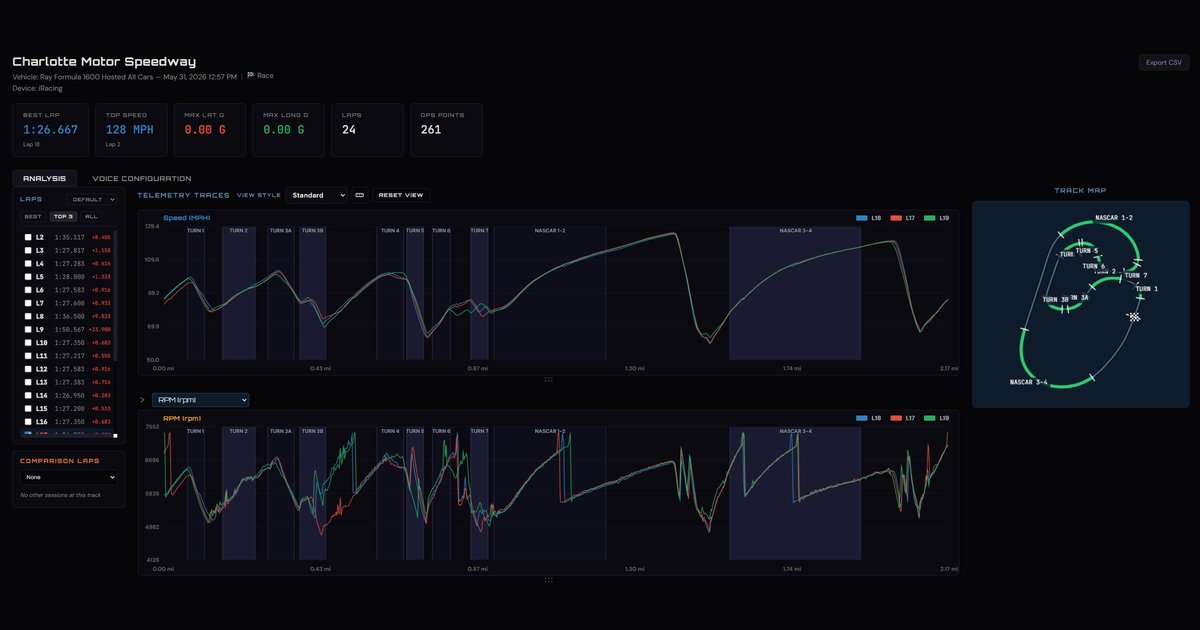
Here's a real one — an iRacing race I ran at Charlotte Motor Speedway in a Ray Formula 1600, opened up in RaceVoiceCloud:
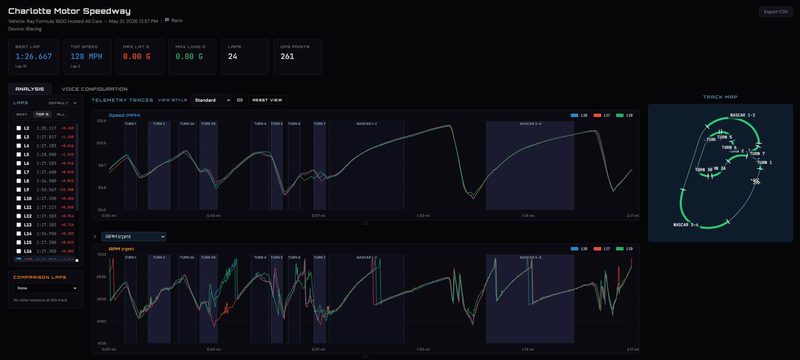
That's 24 laps logged automatically, a 1:26.667 best lap and a 128 mph top speed — with my three quickest laps drawn right on top of each other so I can see, corner by corner, where each one gained or gave back time. I can flip the lower trace between channels — speed, RPM, throttle, brake and the rest — toggle Best / Top 3 / All, and read the corners off the track map on the right. When I've got a real track-day session logged at the same track, the Comparison Laps picker drops it straight onto the same chart. There's even a Voice Configuration tab to set up your spoken corner prompts, and an Export CSV button, because it's your data. None of it took any setup — I just raced, and RaceVoiceSim logged it and sent it up.
Where it fits
RaceVoiceSim is the capture side for the sim — it gets your sim driving into RaceVoiceCloud so you can review it. On real track days, the RaceVoice phone app is the part that rides along and talks you through your corners. Different seats, same platform, same goal: figure out where the time is and go get it.
It runs on Windows, and all you need is one of the sims it supports. Drop it in your tray before your next session and your practice starts paying off long after you've logged out.
Eyes up, go fast — whether you're strapped into the real car or your sim rig.
Follow along as I build RaceVoice in public.
#RaceVoice · #DriveFasterEyesUp · #SpeedOfVoice · #Motorsport · #DriverCoaching · #MotorsportTech · #HPDE · #SpecRacerFord