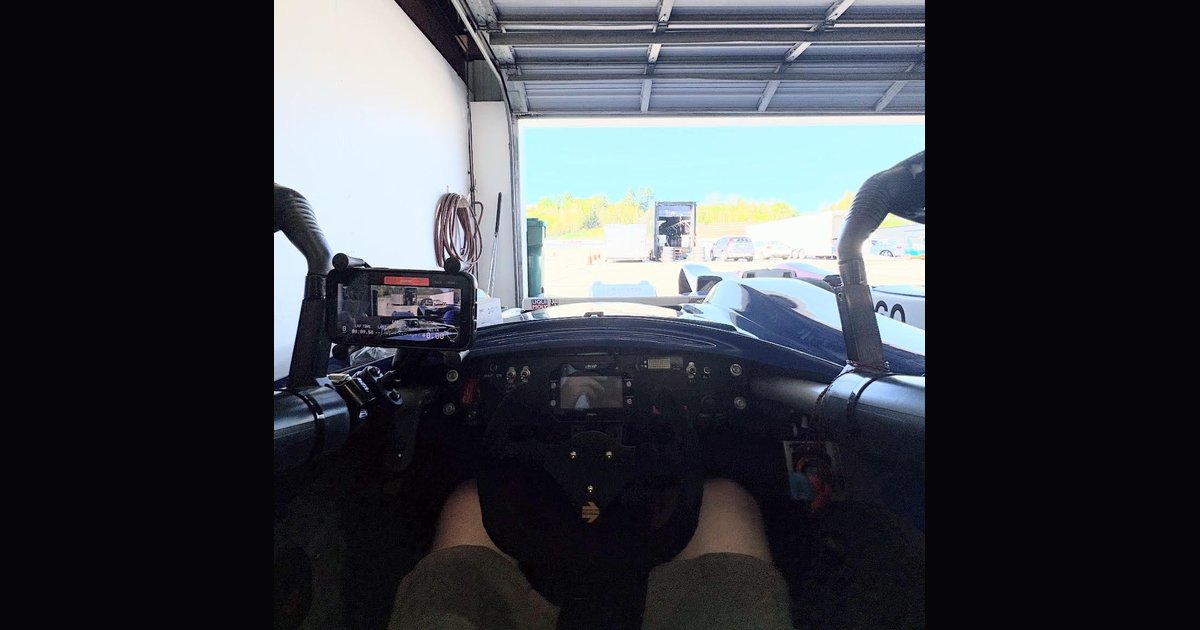
RaceVoice doesn't have an installation. No wiring harness, no CAN tap, no box zip-tied under the dash. The whole "install" is a phone mount — and that mount is the difference between clean GPS, steady video, and a voice coach you forget is there... or a phone in your footwell at turn-in. I got a string of questions from a driver setting up at High Plains Raceway recently and realized I'd never written this down. So here it is: how I mount the phone, what I'd do in a closed car, and the answers to the questions everyone asks at the trailer.
What the mount actually has to do
It's a phone holder, so the temptation is to grab whatever's in the junk drawer. But at speed the mount has five real jobs:
- Give the phone a clear view of the sky. RaceVoice reads GPS several times a second — lap timing, segment detection, and every voice callout depend on it. Buried in a door pocket or under the dash, the phone can't do any of it.
- Point the camera at something worth recording. If you're recording video with the live overlays, the phone's camera is your camera. A mount that lets the lens sag toward the dash gives you a beautiful lap of your own tachometer.
- Survive vibration. A race car shakes continuously, for hours. Vibration finds every loose knob and half-tightened joint. Whatever you mount will be attacked all session.
- Stay put. A loose phone in a cockpit is a projectile, and at most events anything unsecured in the car is a tech-inspection item. Treat the mount like any other secured component.
- Stay out of your eyes. The entire point of a voice coach is eyes up. A mount that parks the screen in your sightline is working against the product.
Get those five right and the phone disappears. You start the session, you drive, and the voice does the work.
Closed car: a suction cup on the windshield
If you're running an HPDE car with a windshield, the answer is boring and cheap: a twist-lock suction-cup mount — I'd point you at the RAM B-166-UN10U, the suction-cup sibling of the roll-bar mount I run, with the same X-Grip holder. Stick it high on the glass, just below and to the right of the rearview mirror: the phone sits in the mirror's visual shadow where it doesn't cost you any road view, the camera sees straight down the hood, and the GPS looks through clear glass at open sky.
A few details that matter more on track than they do on the commute:
- Clean the glass first and twist the lock fully. Track vibration is a different animal than the highway. A cup that's 90% seated will let go mid-session.
- Re-press it on grid on hot days. A suction cup that held fine at 9 AM can soften and creep in an August afternoon session. Give it a push before you roll out. It costs two seconds.
- Landscape if you're recording. The video pipeline is happiest with a landscape frame, and it matches what you'll want in the highlight reel anyway.
- If lap timing acts flaky behind glass, move the phone. Some modern windshields have a metallic solar/IR coating that attenuates GPS. Most cars are fine; if yours isn't, a side-window or dash position usually clears it up.
That's the whole closed-car story. Phone on the windshield and go.
Open cockpit: clamp it to a tube
My car is a 2016 SCCA Spec Racer Ford Gen3 — no windshield, no dash real estate, nothing but frame tubes. So the phone clamps to the frame. This is the exact setup I run:
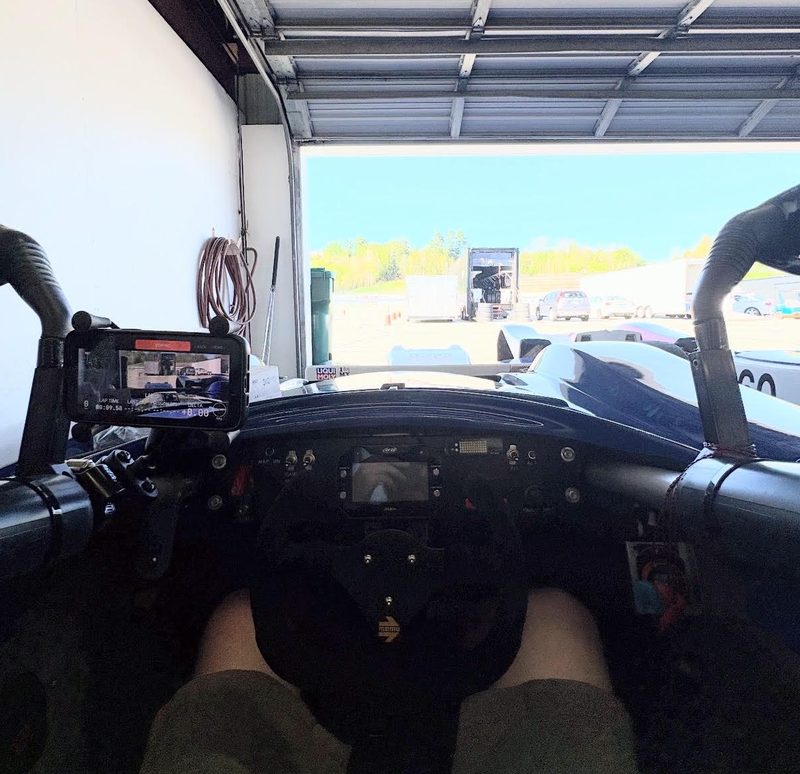
The phone on the left side tube of my SRF, live HUD running before a session. Screen readable at a glance, camera aimed down the nose, nothing in my sightline.
The mount is a RAM B-231-2-UN10: a U-bolt base that clamps around a frame tube, a double-socket arm with rubber ball joints, and RAM's spring-loaded X-Grip holding the phone. Nothing exotic — it's the same hardware people bolt onto motorcycles — and that's exactly why it works. Rubber ball joints soak up vibration, and the U-bolt means it clamps to any tube on the car, roughly ¾" to 1".
Where you clamp it matters:
- In a Spec Racer, the front-left downtube under the mirrors is the spot. Screen visible from the seat, camera looking forward down the nose, clear sky above it, and it never crosses your sightline to the apex.
- Crank the arm knob down hard. The ball joints are what vibration attacks. Snug isn't enough — tighten it like you mean it, and check it between sessions.
- Use the tether. The X-Grip ships with a small rubber tether that stretches over the phone's corners. In an open cockpit at 100+ mph, use it. Spring tension alone holds fine right up until the one time it doesn't, and your phone is also your telemetry, your video, and your coach.
The questions I got asked at the track
That High Plains exchange raised two questions worth answering for everyone.
"Once the phone is in the mount, I can't reach it to start the session." You don't have to. Start the session before you clip the phone in — at the trailer or sitting on grid. Lap timing doesn't begin until you cross the start/finish line, so a few minutes of paddock pre-roll costs you nothing. Start it, mount it, belt in, drive.
"I'm afraid my phone is going to fall out." Fair — see above. Tight knob, tether on, and give the arm a wiggle test on grid along with your belts. Mine has survived full seasons of Spec Racer sessions this way, and that car is not gentle.
The thirty-second grid check
Before you roll out:
- Phone has open sky above it — not tucked under bodywork or a sun visor.
- Camera view is clear. A blocked lens records a full session of nothing. Glance at the live preview; if the screen shows mostly roll bar, aim it again.
- Nothing in your sightline or mirror line.
- Arm knob tight, tether on, wiggle test passed.
- Session started, volume up — if you missed how the callouts work, that's the "Hear Your Speed" post.
Then forget the phone exists. That's the real test of a good mount: you never think about it again until you're back in the paddock watching the video.
Thirty seconds at the trailer, and the coach rides along every lap. Drive Faster. Eyes Up.
Follow along as I build RaceVoice in public.
#RaceVoice · #DriveFasterEyesUp · #SpeedOfVoice · #Motorsport · #DriverCoaching · #MotorsportTech · #HPDE · #SpecRacerFord